How to see every country you've visited — on a map, from your photos
Most countries-visited apps hand you a blank map and ask you to remember. But if you've carried an iPhone on your travels, the answer is already in your photo library — down to the city, and the year.
Disclosure: we make Traviary. We've tried to be fair about where it fits and where something else is the better choice.
Three ways to make the map
1. A scratch-map app
Tap each country you remember. Simple, quick, and the only option for trips with no photos. The catch: it's only as good as your memory, and it has no cities, dates or trips.
2. The Map view in Apple Photos
Photos can show your pictures as pins on a map. It's a fine way to browse, but it doesn't count countries, list them, or tell you when you first went.
3. A photo-based travel map
An app like Traviary reads the coordinates in your photos and works out the country and city for each one — on-device, against a database of 230,000+ cities in 240+ countries and territories. You get a counted list and a map, with no tapping.
What you see in Traviary
- Visited World — every country you've been to, filled with its flag on a 3D globe you can spin.
- Travel Map — every city as a pin, tinted by trip, with the routes between them.
- Time Machine — scrub year by year and watch the map fill in, to settle “was that 2019 or 2021?”.
- Poster — a cinematic view of the whole map, made for showing people.
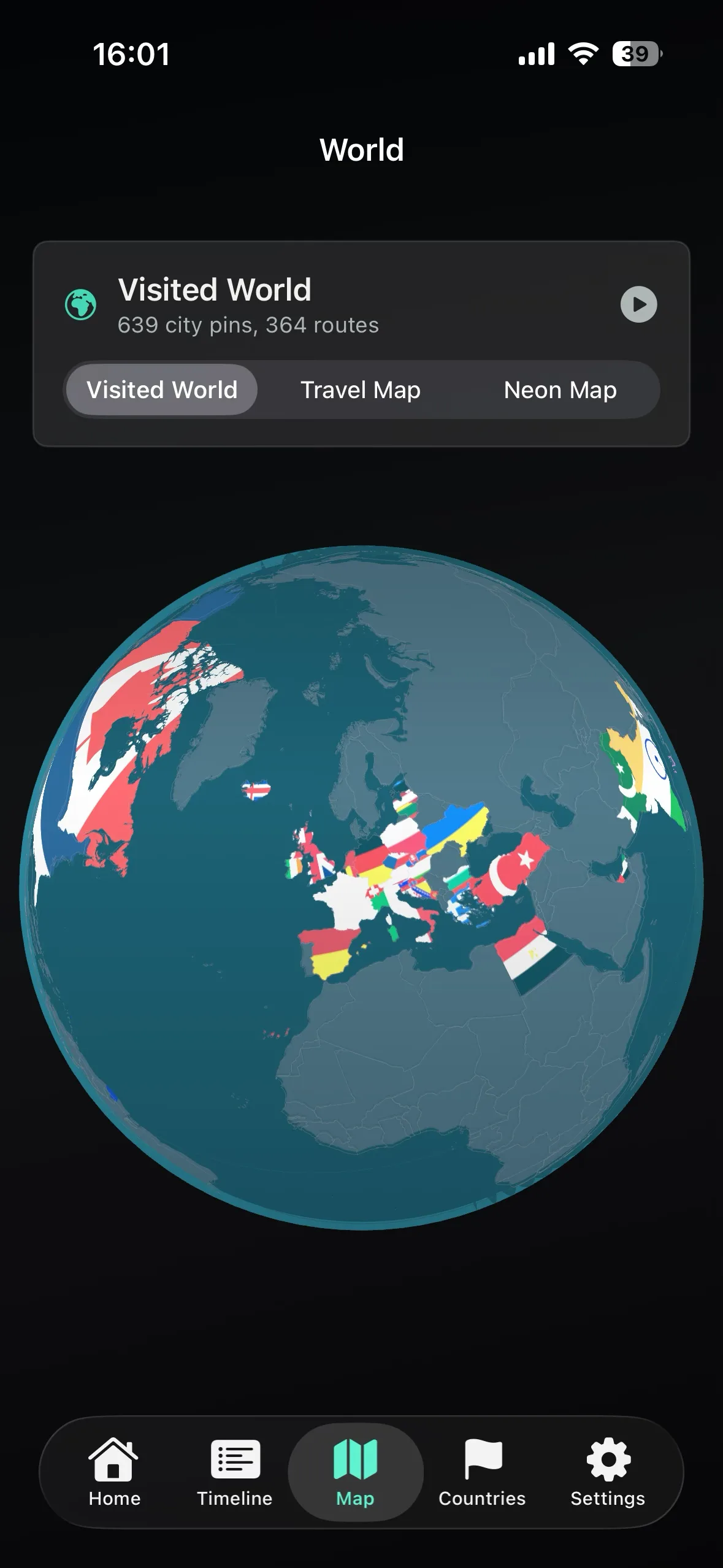
How a country gets counted
A country counts when at least one of your photos was taken inside it. Photos taken from a plane window don't count — an overflown country was never visited — and neither does a layover with no photos, and a country you visited before you owned a smartphone won't either. For those, a scratch map is still the right tool.
The headline number is out of the 195 commonly recognised countries, while the database also covers territories, so places like a Caribbean island or a remote archipelago are still named correctly on your map.
An accurate count of countries and cities, with dates and trips, built in about a minute.
Adding the trips your photos don't cover.
Going further
The map is the starting point. Every trip behind it can become a written travel journal or a printed photo book — and none of it ever leaves your phone (here's why that matters).
Questions people ask
How can I find out which countries I've visited?
If you took photos on your trips with an iPhone, Traviary can work it out for you: it reads the location in each photo and counts every country and city you've been to, on-device. For trips without photos, a scratch-map app where you tap countries by hand fills the gap.
Does it count countries I only passed through?
Only if you took a photo there. A country counts when at least one photo was taken inside it, so an airport layover without photos won't appear, and photos taken from a plane window never count as a visit.