How to make a printed travel photo book from your iPhone
Most trip photos never leave the phone. A printed book is the one format people actually pick up and flip through years later. The hard part isn't the printing — it's turning six hundred photos into forty good pages.
Disclosure: we make Traviary. We've tried to be fair about where it fits and where something else is the better choice.
The hard part: choosing
Photo-book editors give you a blank template and your whole camera roll. Choosing, ordering and laying out the shots is where most books die. A good starting point does most of that for you: the best photo from each place, in the order you travelled, grouped into chapters.
Making the book in Traviary
- Open the trip and switch to its Memories tab.
- Create a Photo Album and pick a format: 20 cm square, 30 cm square or A4.
- Traviary lays out your best shots like a fine-art book, chapter by chapter, with the route map up front.
- Edit any page until it looks right.
- Share the PDF. It's print-ready at 300 dpi with 3 mm bleed.
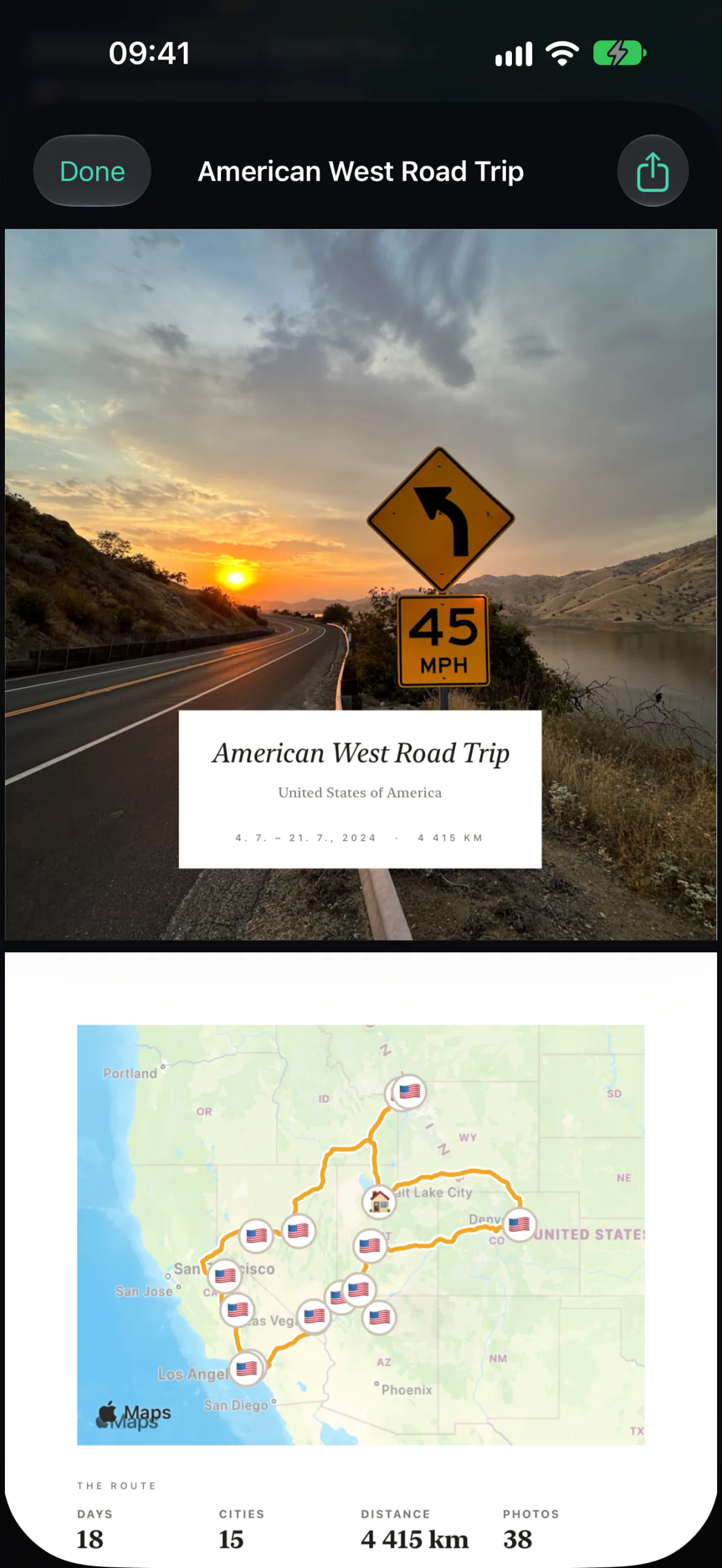
Album or journal?
| Photo Album | Travel Journal | |
|---|---|---|
| Led by | Photos, large and uncluttered | The story — magazine-style |
| Inside | Route map, then your best shots by chapter | Route, a written story, your walks, best moments, “did you know?” facts |
| Looks | Fine-art photo book | Gallery, Classic, Minimal, Passport or Scrapbook style |
| Best for | A printed book on the shelf | Reading, sharing, or printing at home |
Both are free for your first three trips; Premium unlocks them for every trip.
Getting it printed
- Use a service that accepts PDF uploads and choose the same size you made the album in.
- Keep the bleed. The 3 mm bleed is there so the printer can trim to the edge without white slivers — don't crop it off.
- Export with full-resolution photos. If your iPhone uses “Optimize iPhone Storage”, make the album while you're online so the originals can download from iCloud.
- Order one copy first. Check colours and paper before ordering copies for the family.
A laid-out, print-ready book in minutes instead of an evening in a template editor.
Choosing a print service and paper — and the final pass to make it yours.
Related
The book starts from a well-built trip — here's how to turn your photos into a travel journal first.
Questions people ask
What size should a travel photo book be?
A 20 cm square book is compact and affordable, a 30 cm square book shows landscapes at their best, and A4 suits a mix of portrait and landscape photos. Traviary's Photo Album exports in all three.
Can I make a photo book on my iPhone?
Yes. Traviary turns any trip into a print-ready Photo Album PDF (300 dpi, 3 mm bleed) on your iPhone, which you can upload to any photo-book service that accepts PDFs.
