How to turn your iPhone photos into a travel journal
You probably never kept a travel diary — but your iPhone did. Every photo is stamped with a time and, usually, a place. Here's how to turn that quiet record into a real journal, whether you do it by hand or let an app do it in a minute.
Disclosure: we make Traviary. We've tried to be fair about where it fits and where something else is the better choice.
Step 1: check what your photos already know
Open any travel photo in the Photos app and swipe up. If you see a small map with a place name, that photo has GPS coordinates. If you only see a date, it doesn't.
To make sure future photos are tagged, go to Settings → Privacy & Security → Location Services → Camera and choose While Using the App, with Precise Location on. Photos from a standalone camera, screenshots, and images saved from messaging apps often have no location — that's normal.
Step 2, by hand: albums and notes
For a single trip, the manual route works fine: browse the Map view in Photos, select the trip's photos into an album, and write a few lines per day in Notes. It takes an evening per trip. For a decade of travel it takes a decade of evenings, which is why most of us never do it.
Full control over every photo and word.
Everything — sorting, dating, naming places, working out the route.
Step 2, automatically: let Traviary build it
- Install Traviary and allow Photos access. No account, no sign-up screen.
- Watch it build. Traviary reads the timestamps, GPS coordinates and favorites in your library and groups your photos into trips. Nothing leaves the phone. Most libraries take about a minute.
- Skim your trips. Each one has its stops in order, the distance, and how you got between them (flight, drive or on foot, worked out automatically). Fix anything that looks off — Traviary is happy to be told things.
- Add the words. Open the trip's Trip Log and type or dictate a few lines. Entries land on the right stop by their date and place.
- Make the journal. On the trip's Memories tab, create a Travel Journal — a magazine-style PDF with the route, a story written on-device from your photos and log, your best moments, and facts from your own history. Pick a style (Gallery, Classic, Minimal, Passport or Scrapbook), edit any page, then share or print it.
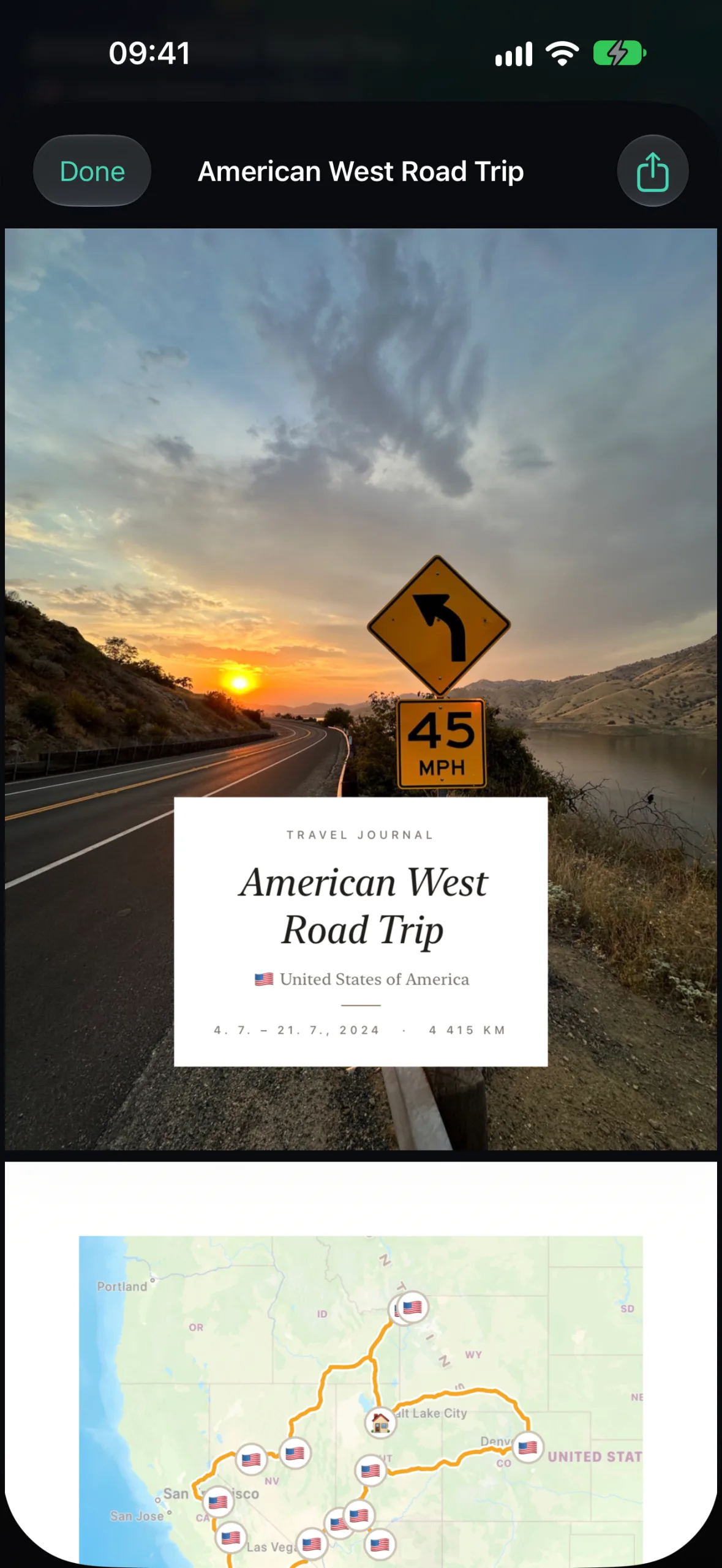
Every trip in your library rebuilt at once, with maps, distances and a written story you can edit.
Adding the personal details only you know, and fixing the occasional stop the photos got wrong.
Filling the gaps
- No photo at the airport? Traviary detects most gaps between stops on its own, and you can adjust any trip or stop by hand.
- Took the train? Mark that leg as a train ride and pick the stations — it's drawn station to station.
- Photos without location? They can't be placed, so a stop with only location-less photos won't appear. Turning on Camera location (Step 1) fixes it for the future.
Better journals next trip
- Take one photo at every stop — even a dull one. It's a pin.
- Favorite your best shots in Photos as you go; Traviary reads your favorites.
- Dictate one sentence a day into the Trip Log. It feeds the journal's story and your Memory's captions.
Curious how this compares with other “automatic” apps? Read what “automatic” actually means.
Questions people ask
Can I make a travel journal from old photos?
Yes. As long as your old photos have a date and location, Traviary rebuilds those trips automatically — it goes back as far as your photo library does.
What if my photos don't have location data?
Photos without GPS coordinates can't be placed on the map. Turn on location for the Camera in Settings → Privacy & Security → Location Services so future photos are tagged, and adjust any trip or stop by hand in Traviary.
